
AI Features & Bots

AI Website Chatbot for Legal Operations

Colleagues and clients get answers about legal processes, templates and how to send a request, without taking a lawyer's time.

Lawyers spend too much time answering the same process questions: how to request a contract review, which template applies, what turnaround to expect. This chatbot answers them from your legal team's own guidance, on your website, intranet, Teams or Slack. It never gives legal advice. New matters go straight to your intake inbox, so lawyers see clean requests instead of scattered messages.

  • Colleagues get legal process answers without waiting for a lawyer
  • New matters reach intake as clean, structured requests
  • Tested to stay out of legal advice every time
$3,500 20–30 working days Optional maintenance $249/mo
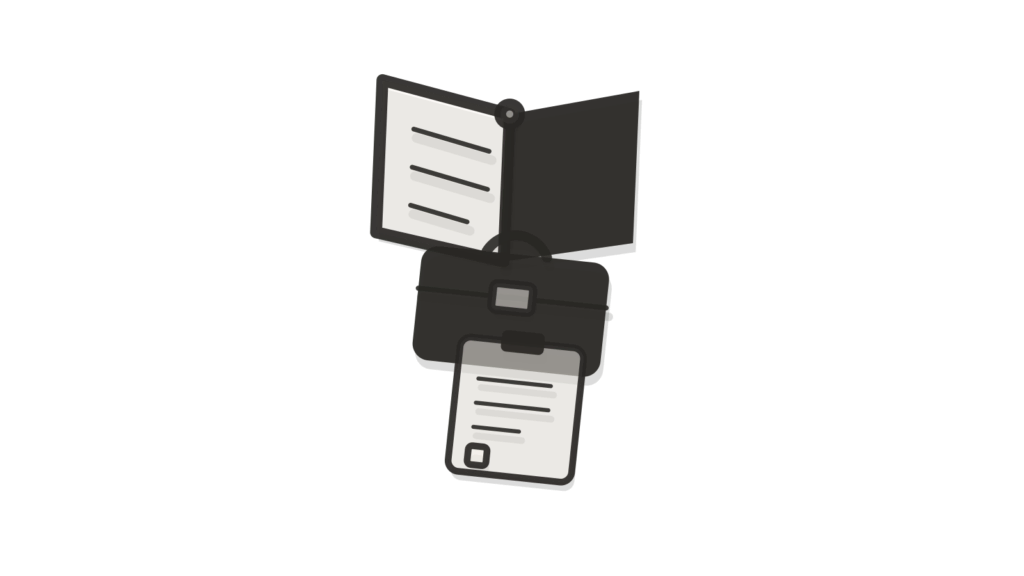
A briefcase block, clipped card stack and speech-bubble tile on a plinth, showing legal process questions routed.

What it is

AI Website Chatbot for Legal Operations answers process questions from your legal team's own guidance. Examples are how to start a matter, which documents to send and expected turnaround. Law firms run it on their website for clients. In-house teams run it in Teams or Slack for colleagues. It never gives legal advice and hands new matters to intake.

Why businesses buy it

In-house legal teams and law firms lose hours each week to questions that their own guidance already answers. Each interruption pulls a lawyer away from work that needs their judgment. This chatbot gives consistent process answers instantly and routes real matters to intake, so the queue is cleaner and turnaround improves. The written scope fixes the channel, guidance, intents and advice boundary before you order, which gives your general counsel something concrete to approve.

Problems this solves

Colleagues email lawyers to ask how to request a contract review

The chatbot answers process questions, such as how to request a review or which template applies, from your legal team's own guidance. Lawyers can be interrupted less often by routine process emails.

Unclear turnaround expectations lead to constant chasing of the legal team

Expected turnaround and process steps are answered from your published guidance. Colleagues can check in Teams, Slack or on your website before sending a chaser.

New matters arrive by scattered email with missing details

Using the Legal Operations intent library, the chatbot passes new matters to your intake inbox. It never gives legal advice, so substantive questions always reach a qualified person.

Scope card SKU UPM-I0224

AI Website Chatbot for Legal Operations

Everything this build includes, written down before you pay. Choose a delivery speed and any add-ons, then add it to your cart.

$3,500 one-time build price
1. Choose your delivery speed

Delivery times are in working days (Monday to Friday) and start once your intake is complete. They can extend because of national or public holidays, technical issues outside our control (such as platform outages, third-party changes, account approvals or access delays), or natural disasters and other events beyond our control. If a delay happens, we tell you in writing with a new date.

What is included

Channel
1 channel (website widget, Slack or Microsoft Teams)
Integrations
Up to 1 (e.g. email or helpdesk handoff)
Knowledge
Up to 100 documents or 200 web pages
Workflows
Up to 5 intents plus human handoff; includes the Legal Operations workflow template
Languages
1
Testing
40 documented test questions with pass/fail results
Revisions
2 rounds
Handoff
1 × 60-min handoff session (recorded)
Support
30 days after launch

A good fit if

Lawyers spend hours each week explaining how to request a review, where templates live and what information to send.
Your team has written guidance on intake, templates, signing authority and turnaround, but people rarely read it.
Internal stakeholders work in Microsoft Teams or Slack, or clients use your website, and you want answers where they already are.
Every substantive question must still reach a qualified lawyer, with no advice given by the assistant itself.

Not the right fit if

You want incoming legal requests captured into a structured, triaged queue. See AI Legal Intake.
You need routine coordination and matter tracking handled. See AI Legal Operations Assistant.
Lawyers need to search precedents, templates and guidance themselves. See AI Legal Knowledge Base.
You want intake, contract review and related tools set up together. See AI Legal Ops Stack.
You are a law firm that wants phone answering and client intake set up with the chatbot. See the AI Law Firm Intake Stack.

How it works

  1. It learns your legal team's process guidance. Intake instructions, template library notes, signing authority rules, turnaround standards and FAQs, up to 100 documents or 200 pages.
  2. Five legal operations intents are set up. Often: how to request a review, which template to use, what documents to send, turnaround and status, and policy questions.
  3. It runs in one place you choose. A widget on your website or intranet, or a bot in Microsoft Teams or Slack for colleagues.
  4. It stays out of legal advice. If someone asks whether a clause is acceptable or what the law requires, it explains that a lawyer must review and offers the handoff.
  5. New matters go to intake with context. The request, counterparty, deadline mentioned and the conversation are handed to your legal intake inbox or helpdesk.
  6. It is checked on 40 test questions. Including questions that must be declined as legal advice, each marked pass or fail before launch.

What you provide within 72 hours

Your portal lists these the moment you order. Delivery starts the working day after everything is in and your access is checked.

  • Your intake guidance, template list, signing authority rules, turnaround standards and legal FAQs.
  • The top 20 process questions your team receives, with approved answers.
  • Your exact wording for declining legal advice questions.
  • The legal intake inbox or helpdesk access for handoffs.
  • Admin access for the website, intranet, Teams or Slack where it will run, plus repository or hosting access and a technical contact.
  • Logo and colors, and admin access and API keys for connected systems, never sent by email.
  • One decision-maker, usually the head of legal operations, to approve answers.
  • An API key for your own AI model account (for example OpenAI or Google Gemini), created for this build with a spending limit.
The 72-hour rule. Send everything on your checklist, including access, within 72 hours of ordering so your build starts on time.

Timeline

Start Intake checked: process guidance, decline wording and channel choice agreed.
Weeks 1–2 Guidance loaded; five legal operations intents and decline rules built.
Week 3 Bot installed in your chosen channel; handoff to legal intake connected.
Weeks 3–4 40 test questions run, including advice questions it must decline.
Week 4 Legal team review, then two rounds of changes.
Go-live Live for colleagues or clients; recorded handoff; 30 days of support.
Delivery options, in working days (Monday to Friday) from completed intake. They can extend because of national or public holidays, technical issues outside our control (such as platform outages, third-party changes, account approvals or access delays), or natural disasters and other events beyond our control. If a delay happens, we tell you in writing with a new date.
OptionDelivery timePrice
Standard20–30 working days$3,500
Express15–25 working days$4,100
Rush10–20 working days$4,750

What you receive at handover

  • The AI chatbot for Legal Operations, live on your website, Microsoft Teams or Slack
  • The Legal Operations intent library and workflow template, for up to five intents plus handoff
  • A handoff connection to your legal intake inbox
  • A test report using legal-intake scenarios, with forty pass/fail test questions
  • An admin guide and the recorded 60-minute handoff session
  • 30 days of post-launch support

Expected benefits and how to measure them

  • Can save lawyer time currently spent on intake and process questions
  • Helps new matters reach the intake inbox through one agreed route
  • Makes it easier for colleagues to follow the right process first time
Process questions sent to lawyers
Ask lawyers to tag process emails for two weeks before launch. Repeat the same tagging a month after launch.
Matters arriving through the intake route
From your matter records, count new matters by how they arrived. Compare before and after launch.
Chaser emails
Count turnaround chasers in the legal inbox each month. Compare the month before launch with the month after.

Before you start: Track for two weeks how many process questions and chasers reach the legal team. Note how new matters arrive today.

These are things to track, not promised results. Outcomes depend on your data, your team and your market.

Running costs

The build itself is a one-time payment, shown before you buy. Running it costs roughly $30 to $150 a month for AI model usage and hosting, billed in your own accounts.

Usage during build and testing is billed to you directly, and conversations stay in your own systems. Outputs support process questions and are for review by qualified lawyers, not legal advice.

Ask about running costs

Custom requirements

Reading matter status from your matter management system, searching your document management system, or running in both Teams and the website is outside this Scope Card. Add a note at checkout for a written Change Quote. Larger or bespoke projects go through the Custom AI request form instead.

Request a custom version

Keep it running

We recommend monthly maintenance for this build. It covers monitoring, fixes and monthly hours for new templates, revised signing authority or changed intake steps. The change hours scale with the build, so larger teams with several practice groups get more room. Maintenance starts after the included support period and can be cancelled any month.

$249/mo (the minimum fee, includes 2 change hours)

Optional. Starts after the post-launch support period. Cancel any month.

How maintenance works

How this compares

Do it yourself with a SaaS toolHire a custom agencyUpmark Labs
Price Legal service desk tools usually charge per seat per year A legal tech consultancy quotes after discovery Ours is one fixed price, shown before you buy
Advice boundary A general assistant may answer legal questions it should not Depends on the brief Ours declines advice and hands off to a lawyer
Where it runs A portal tool asks colleagues to log in somewhere new An agency build depends on what was agreed Ours runs in Teams, Slack or your site
Delivery A service desk rollout can take a quarter An agency usually takes several weeks, set per project Ours has a fixed delivery time shown before you buy, with faster options

Questions about this product

Does AI Website Chatbot for Legal Operations give legal advice?

No. Legal advice is excluded. It answers process questions from your team's guidance, such as how to request a review or which template applies. Questions about what a clause means, whether terms are acceptable or what the law requires are declined with your wording and passed to a lawyer.

Can it run in Microsoft Teams instead of on a website?

Yes. The scope includes one channel, and that can be a website or intranet widget, Microsoft Teams or Slack. Most in-house teams choose Teams or Slack so colleagues ask where they already work. Running in a second channel as well is a channel add-on, priced.

Can colleagues ask for the status of their contract?

They can ask, and the question is handed to your legal intake inbox or helpdesk with the conversation attached. The chatbot does not read your matter management system in the standard scope. For coordination and matter tracking, see AI Legal Operations Assistant, which is built for that job.

How is a new legal request handed over?

When someone wants a review or a new matter opened, the chatbot asks for the details your guidance lists, such as counterparty, deadline and contract type, and sends them with the conversation to your intake inbox or helpdesk. A lawyer or legal ops colleague then takes it from there.

What is included in the legal operations chatbot?

It includes the Legal Operations workflow template, one channel such as your website, Teams or Slack, five intents, 40 test questions that check it never gives legal advice, two rounds of changes and 30 days of support. The price and delivery speeds are shown before you order. Running costs are paid separately in your own accounts.

How do we know it will not overstep?

Advice-seeking questions are written into the 40 documented test questions, and each must be declined with your wording to pass. You review every result before launch and have two rounds of changes. After launch, the conversation logs show exactly what was asked and answered.

Stop answering 'how do I send this to legal' by hand.

Order AI Website Chatbot for Legal Operations and colleagues or clients start getting process answers in Teams, Slack or on your site, with every new matter passed to your lawyers.

Works well with

Connector nodes leading into a briefcase beside an exchange tray, showing a new matter captured and routed.
Legal Operations

AI Legal Intake

For in-house legal teams: captures and triages incoming legal requests from the business.

From $2,900 Delivery in 20–30 working days
Overhead view of a box of folders, a briefcase and a clipboard, showing routine legal-ops tasks coordinated.
Legal Operations

AI Legal Operations Assistant

Handles routine legal-ops coordination and matter tracking.
From $5,900 Delivery in 20–30 working days
Open book, briefcase and clipboard shown in cross-section, showing firm guidance made searchable.
Legal Operations

AI Legal Knowledge Base

Organizes precedents, templates and guidance into a searchable base.

From $7,900 Delivery in 20–30 working days
Staging copy for testing. Not the live site; payments are in PayPal sandbox and every email goes to the team.
