
AI Features & Bots

AI Browser Extension Assistant

A custom browser extension brings AI help directly onto the pages your team already works in, no app-switching required.

Your team spends the day inside web apps you do not control: a CRM, a supplier portal, an admin panel. This build creates a custom browser extension that brings AI help onto those exact pages, reading what is on screen and helping your team act on it. It is delivered as production code, ready to install privately or publish.
  • AI help appears on the exact pages your team works in
  • Reads the page and helps your team act on it
  • Delivered as production code, ready to install or publish
$4,900 20–30 working days Optional maintenance $249/mo
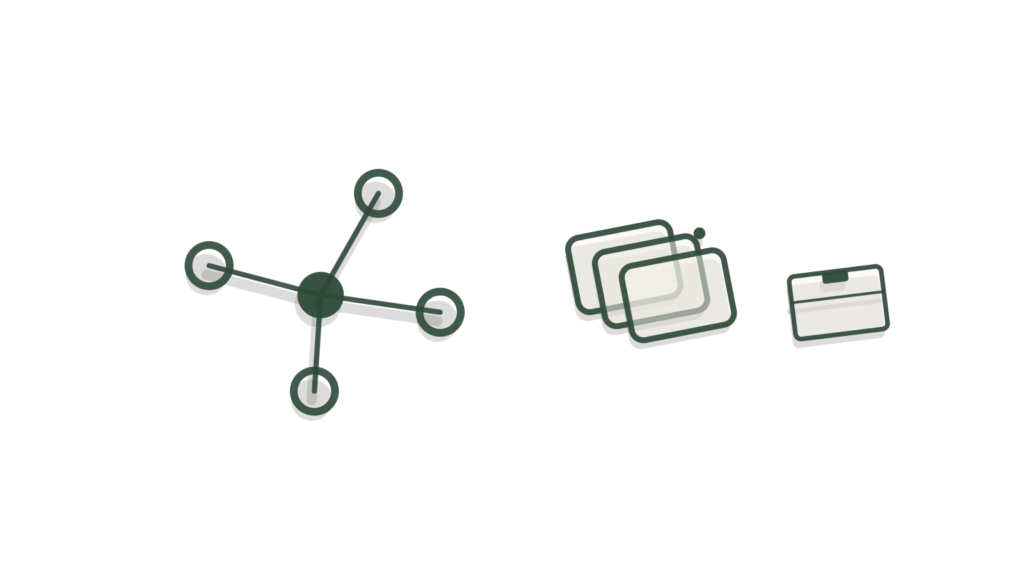
Network dots beside layered brass boxes nested in a container, showing extra AI help fitted onto the page.

What it is

AI Browser Extension Assistant is a software build that creates a custom browser extension bringing AI help directly into the pages your team uses, delivered as production code ready to install or publish. It is tested on the real pages your team uses.

Why businesses buy it

When the tools your team relies on cannot be changed, staff end up copying text between tabs, retyping details and checking the same things by hand. A browser extension puts AI help on top of those pages without touching the underlying software. That saves time on every record handled. The written scope sets the features, APIs, target pages and testing before you order, so a technical project still has clear limits.

Problems this solves

Staff copy text between web pages and an AI tool all day

A custom browser extension brings AI help into the pages your team already uses. Up to three features work in place, so nobody has to paste content into a separate tool.

Public AI tools ignore company rules and approved wording

Prompts and guardrails are configured for your rules and documented. Connections to up to two agreed APIs are built in, so the extension works with the services you choose.

Browser add-ons break on the real pages people use

The extension is tested on the real pages your team uses, with automated tests for core flows and thirty manual scenarios. The code is ready to install or publish.

Scope card SKU UPM-C0162

AI Browser Extension Assistant

Everything this build includes, written down before you pay. Choose a delivery speed and any add-ons, then add it to your cart.

$4,900 one-time build price
1. Choose your delivery speed

Delivery times are in working days (Monday to Friday) and start once your intake is complete. They can extend because of national or public holidays, technical issues outside our control (such as platform outages, third-party changes, account approvals or access delays), or natural disasters and other events beyond our control. If a delay happens, we tell you in writing with a new date.

What is included

Channel
1 application (web, mobile or internal tool, as described)
Integrations
Up to 2 APIs
Knowledge
Up to 100 documents
Workflows
Up to 3 user-facing features or screens
Languages
1
Testing
Automated tests for core flows + 30 manual test scenarios
Revisions
2 rounds
Handoff
1 × 60-min technical handoff (recorded)
Support
30 days after launch

A good fit if

Your team spends most of the day inside a browser, working across a handful of specific websites or internal web apps.
You want AI help to appear directly on those pages, such as a side panel or an injected button, rather than a separate tool to switch to.
You can describe up to three features the extension should have, such as summarizing a page, drafting a reply or pulling data into a form.
You are comfortable installing the extension privately for your team, or publishing it to a browser's extension store.

Not the right fit if

The AI help belongs inside your own app or site, not as a separate browser extension. See AI Feature Integration.
You want a standalone internal tool with its own screens, not something layered on top of other websites. See AI Internal Tool Builder.
The assistant should live on mobile devices, not a desktop browser. See AI Mobile App Assistant.
You mainly need a chat interface, not something that reads and acts on the page itself. See AI Custom Team Assistant.

How it works

  1. Requirements are confirmed. We agree the up to three features, which pages or sites the extension should work on, and what counts as done.
  2. The extension is built for the browser you use, such as Chrome or Edge, with environment-based configuration and no secrets stored in the extension's code.
  3. It is connected to up to two APIs, such as an internal system or the AI model itself, so it can read page content and take the actions you defined.
  4. Automated tests cover the core AI flows, and 30 manual test scenarios are run across the real pages the extension is meant to work on.
  5. Your technical contact reviews the working extension, with two rounds of changes included to adjust behavior or which pages it activates on.
  6. The extension is packaged for private install or store submission, with a recorded 60-minute technical handoff covering how to manage and update it.

What you provide within 72 hours

Your portal lists these the moment you order. Delivery starts the working day after everything is in and your access is checked.

  • Repository access, or confirmation that a new one should be created for this extension.
  • A browser developer account if the extension is going to a public store, or confirmation it will be installed privately.
  • Design assets or reference screenshots showing where and how the AI help should appear on the page.
  • API documentation for any systems the extension needs to connect to.
  • A technical contact who can review the extension and test it on the real pages it targets.
  • Admin access and API keys for every connected system, shared by adding our team as a user or creating a key you control, never by email.
  • One decision-maker who can approve the finished extension.
  • An API key for your own AI model account (for example OpenAI or Google Gemini), created for this build with a spending limit.
The 72-hour rule. Send everything on your checklist, including access, within 72 hours of ordering so your build starts on time.

Timeline

Start Requirements confirmed: the up to three features, target pages, and what counts as done.
Weeks 1–2 The extension is built for your browser, with environment-based configuration and no secrets in code.
Week 3 The up to two APIs are integrated so the extension can read pages and take the agreed actions.
Weeks 3–4 Automated tests and 30 manual test scenarios are run against the real target pages.
Week 4 Your technical contact reviews the extension, with two rounds of changes to behavior or scope.
Go-live Packaged for private install or store submission, recorded technical handoff held, support starts.
Delivery options, in working days (Monday to Friday) from completed intake. They can extend because of national or public holidays, technical issues outside our control (such as platform outages, third-party changes, account approvals or access delays), or natural disasters and other events beyond our control. If a delay happens, we tell you in writing with a new date.
OptionDelivery timePrice
Standard20–30 working days$4,900
Express15–25 working days$5,750
Rush10–20 working days$6,600

What you receive at handover

  • The AI browser extension, delivered as production code ready to install or publish
  • Workflow, prompt and guardrail configuration for up to three features
  • Connections to up to two agreed APIs
  • A test report covering automated core-flow tests and thirty manual scenarios on your real pages
  • An admin guide and the recorded 60-minute technical handoff
  • 30 days of post-launch support

Expected benefits and how to measure them

  • Can cut copy-and-paste work between pages and tools
  • Helps keep AI use inside your company rules
Time per task on the target pages
Time a sample of tasks before installing the extension. Time the same tasks a month later and compare.
Active installs
Check how many staff have the extension installed and in use each week.
Copy-paste steps per task
Observe a few staff completing a typical task before and after rollout and count the steps.

Before you start: Time the target tasks for a few staff and note which pages and tools they switch between.

These are things to track, not promised results. Outcomes depend on your data, your team and your market.

Running costs

The build itself is a one-time payment, shown before you buy. Running the finished extension typically costs ~$50–300 a month for hosting and AI usage, on your own cloud account, depending on how many team members use it and how often.

AI usage during build and testing is billed the same way, so your cloud and AI provider accounts stay in your name.

Ask about running costs

Custom requirements

Need more than two APIs, more than three features, or the extension on more than one browser? Add a note at checkout for a written Change Quote, without affecting your original delivery date. Larger or bespoke projects go through the Custom AI request form instead.

Request a custom version

Keep it running

We recommend monthly maintenance for this build. It covers monitoring, fixes and monthly change hours for adapting to a page layout change or making a small feature adjustment. The allowance scales with the build, and bigger changes go through a Change Quote. It starts after the included support period and can be cancelled any month.

$249/mo (the minimum fee, includes 2 change hours)

Optional. Starts after the post-launch support period. Cancel any month.

How maintenance works

How this compares

Do it yourself with a SaaS toolHire a custom agencyUpmark Labs
Price A generic AI browser extension charges a recurring subscription per user A software agency quotes after a discovery and scoping phase Ours is one fixed price, shown before you buy
Fit A generic extension works the same way on every site, not tuned to yours An agency build depends on what was agreed Ours is built for the exact pages your team works in
Ownership A generic extension's logic stays inside the vendor's own platform An agency's ownership terms vary by contract Ours ships as production code in your own repository
Delivery A generic extension installs in minutes but does not know your workflow An agency usually takes several weeks, set per project Ours has a fixed delivery time shown before you buy, with faster options
Testing A generic extension is tested by its vendor, not on your real pages An agency build depends on what was agreed Ours ships with automated tests plus 30 manual test scenarios on your pages

Questions about this product

What does the AI Browser Extension Assistant price include?

One fixed price covers designing, building and packaging a custom browser extension with up to three features, including automated tests, 30 manual test scenarios on your real target pages and a recorded 60-minute technical handoff. The price is shown before you order, with no separate discovery fee.

What does the browser extension cost to run each month?

Typically $50 to $300 a month for hosting and AI usage on your own cloud account, depending on how many team members use it. A small team using it daily usually sits toward the lower end, billed directly to your own accounts.

How long until the extension is ready to install?

Standard, Express and Rush delivery times are shown in the price panel before you order. The schedule runs from a complete intake, so it depends on receiving repository access, target pages and design references within 72 hours of ordering. Late information adds delivery time.

Which browsers does the extension work on?

It is built for the browser your team actually uses, agreed during intake, such as Chrome or Edge. Supporting more than one browser or engine is possible but sits outside the base scope, and is quoted as a Change Quote if you need it.

Will the extension be published to a public store, or installed privately?

Either, depending on what you choose during intake. Private installation for your own team avoids any store review delay, while store publication needs a developer account and passes through that browser's own review process before it becomes publicly available to install.

Can we change which pages the extension activates on after launch?

Yes. Two rounds of changes are included while your technical contact reviews the extension. After launch, adjustments such as adding a page or changing behavior fit inside the monthly change hours that come with maintenance. That also covers adapting to a page layout change. Bigger changes, like a new feature, go through a Change Quote first.

Is the extension tested on the actual pages my team uses?

Yes. Automated tests cover the core AI flows, and 30 manual test scenarios are run directly against the real target pages agreed during intake, not a generic test site. You receive the results before the extension is packaged for install.

Put AI help right on the pages your team already lives in.

Order AI Browser Extension Assistant and the finished extension is ready to install, tested on the pages your team actually uses and delivered as code you own.
Works well with

A folder with a sheet drawn out beside a brass calendar block and speech bubble, showing a Drive file found from Slack.
AI Features & Bots

AI Slack Bot for Google Workspace

Builds a Slack bot that answers questions and runs actions for your team, connected natively to Google Workspace so it reads and…
From $3,250 Delivery in 20–30 working days
A card slotted into an open ring binder beside a speech-bubble cutout, showing a Notion entry added from Slack.
AI Features & Bots

AI Slack Bot for Notion

Builds a Slack bot that answers questions and runs actions for your team, connected natively to Notion so it reads and updates…
From $3,000 Delivery in 20–30 working days
A felt speech bubble tied by green thread to clipped task cards, showing a Slack thread turned into a Jira issue.
AI Features & Bots

AI Slack Bot for Jira

Builds a Slack bot that answers questions and runs actions for your team, connected natively to Jira so it reads and updates…

From $3,250 Delivery in 20–30 working days
Staging copy for testing. Not the live site; payments are in PayPal sandbox and every email goes to the team.
