
AI Features & Bots

AI Slack Bot for Jira

Your team checks, creates and comments on Jira issues from Slack, and gets answers from your docs, without switching tabs.

Engineers and product people lose focus every time they switch from Slack to Jira to check a status or log a bug. This bot lets them look up issues, raise new ones from a thread and add comments without leaving Slack. It also answers questions from your docs. Permissions follow your Jira setup, and the code is delivered to your repository.
  • Check Jira issue status without leaving the Slack thread
  • Raise an issue or add a comment straight from Slack
  • Permissions follow your Jira setup, with code in your repository
$3,250 20–30 working days Optional maintenance $249/mo
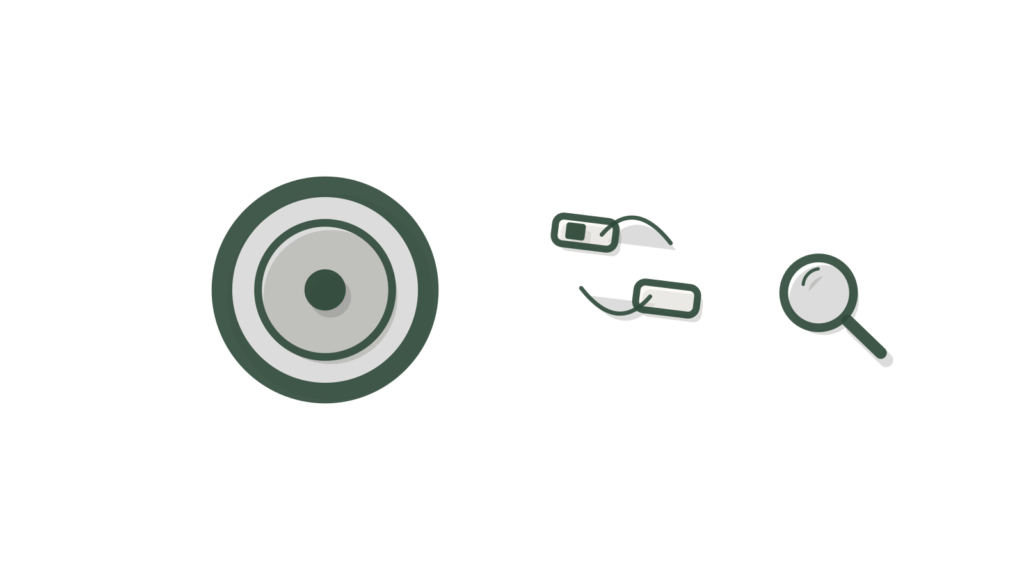
A felt speech bubble tied by green thread to clipped task cards, showing a Slack thread turned into a Jira issue.

What it is

AI Slack Bot for Jira answers your team's questions in Slack and runs Jira actions from there, such as looking up an issue's status, raising an issue from a thread or adding a comment. It reads and updates Jira issues, projects and comments through an Atlassian API token or OAuth app. Every action follows your Jira permissions.

Why businesses buy it

Context switching is a hidden tax on product teams. Bugs reported in Slack never make it into Jira, and status questions interrupt the people doing the work. A bot that reads and updates Jira from Slack keeps the tracker accurate and the conversation moving. The written scope sets which projects, fields and actions are mapped, how permissions work and how it is tested on test projects, so your Jira admin can approve it with confidence.

Problems this solves

Checking an issue's status means leaving Slack and searching Jira

Ask the bot in Slack and it looks up the Jira issue status for you. It reads issues, projects and comments through an Atlassian API token or OAuth app.

Bugs reported in Slack threads never become Jira issues

The bot can raise a Jira issue straight from a thread and add comments. The field mapping is agreed and documented, so new issues land in the right project with the right fields.

Teams worry a bot could bypass Jira permissions

Every action follows your Jira permissions. Access is set up through user invites or keys you control, never sent by email. Tests run on sandbox or test records.

Scope card SKU UPM-N0144

AI Slack Bot for Jira

Everything this build includes, written down before you pay. Choose a delivery speed and any add-ons, then add it to your cart.

$3,250 one-time build price
1. Choose your delivery speed

Delivery times are in working days (Monday to Friday) and start once your intake is complete. They can extend because of national or public holidays, technical issues outside our control (such as platform outages, third-party changes, account approvals or access delays), or natural disasters and other events beyond our control. If a delay happens, we tell you in writing with a new date.

What is included

Channel
1 channel (website widget, Slack or Microsoft Teams)
Integrations
Jira (two-way, agreed field mapping) + up to 1 more system
Knowledge
Up to 100 documents or 200 web pages
Workflows
Up to 5 intents plus human handoff
Languages
1
Testing
40 documented test questions with pass/fail results
Revisions
2 rounds
Handoff
1 × 60-min handoff session (recorded)
Support
30 days after launch

A good fit if

Your product and engineering teams discuss work in Slack but track it in Jira, and copy details between the two by hand.
People often ask in Slack where an issue stands, and someone opens Jira to check.
You can name up to five things the bot should do or answer, such as raising a bug from a thread.
A Jira admin can create an Atlassian API token or OAuth app, and a technical contact can review the build.

Not the right fit if

You want status updates on Jira projects sent to clients. See AI Project Status Agent for Jira.
You want tasks, deadlines and blockers tracked with status updates posted to the team. See AI Project Manager Agent for Jira.
Your Slack channels mostly carry production alerts that need triage. See AI Incident Triage for Jira.
Your service desk runs on Jira Service Management and staff ask IT questions. See AI Helpdesk Agent for Jira Service Management.

How it works

  1. An Atlassian API token or OAuth app connects Jira, and the mapping of projects, issues and comments the bot may read or update is agreed with your admin.
  2. The bot is added to your Slack workspace and responds where your team invites or mentions it.
  3. Up to five intents are built from your use cases, for example checking an issue's status, raising a bug from a thread or adding a comment.
  4. Process and how-to questions are answered from up to 100 documents or 200 web pages you approve.
  5. Anything outside its intents is handed to the person or channel you name, rather than guessed at.
  6. 40 documented test questions, including the Jira actions, run against test projects before launch, and the code is delivered to your repository.

What you provide within 72 hours

Your portal lists these the moment you order. Delivery starts the working day after everything is in and your access is checked.

  • An Atlassian API token or OAuth app for the Jira projects in scope.
  • A Jira admin for a 30-minute setup call.
  • Slack admin access to install the bot.
  • Your target users and the use cases you want, ranked.
  • The documents or pages it should answer from, plus your top 20 questions with approved answers.
  • A technical contact to review the build, and where handoffs should go.
  • One decision-maker for approvals.
  • An API key for your own AI model account (for example OpenAI or Google Gemini), created for this build with a spending limit.
The 72-hour rule. Send everything on your checklist, including access, within 72 hours of ordering so your build starts on time.

Timeline

Start Intake verified; Jira projects, intents and handoff route agreed.
Weeks 1–2 Intents and Jira actions built; documents loaded.
Week 3 Bot installed in Slack; Jira actions tested on test projects.
Weeks 3–4 40 documented test questions run, pass or fail shared.
Week 4 Your technical review and two rounds of changes.
Go-live Live in Slack, code in your repository, handoff recorded.
Delivery options, in working days (Monday to Friday) from completed intake. They can extend because of national or public holidays, technical issues outside our control (such as platform outages, third-party changes, account approvals or access delays), or natural disasters and other events beyond our control. If a delay happens, we tell you in writing with a new date.
OptionDelivery timePrice
Standard20–30 working days$3,250
Express15–25 working days$3,800
Rush10–20 working days$4,400

What you receive at handover

  • The AI Slack bot for Jira, live in your Slack workspace
  • A two-way Jira connection with documented field mapping, plus up to one more system
  • Access set up through user invites or keys you control
  • A test report on sandbox or test records, with forty pass/fail test questions
  • An admin guide and the recorded 60-minute handoff session
  • 30 days of post-launch support

Expected benefits and how to measure them

  • Can turn Slack bug reports into Jira issues before they are forgotten
  • Helps people check progress without pinging the assignee
  • Keeps Jira as the single record of work
Issues raised from Slack
Filter Jira for issues created by the bot each week, in the months after launch.
Status-check messages
Count 'any update on' messages in a busy channel for two weeks before and after launch.
Report-to-issue time
Sample Slack bug reports and note when each became a Jira issue. Compare before and after launch.

Before you start: Count how many bugs are reported in Slack each week and how many reach Jira. Note how status questions are asked today.

These are things to track, not promised results. Outcomes depend on your data, your team and your market.

Running costs

The build itself is a one-time payment, shown before you buy. Running the bot costs roughly $30 to $150 a month in your own accounts for AI model usage and hosting, depending on how often your team uses it.

Jira and Slack plans are unchanged. AI usage during build and testing is billed to your accounts.

Ask about running costs

Custom requirements

More than five intents, Jira projects beyond the agreed mapping, custom Jira objects or a second chat channel need a written Change Quote of a note at checkout. Larger or bespoke projects go through the Custom AI request form instead.

Request a custom version

Keep it running

Monthly maintenance covers monitoring, fixes and change hours for a new intent, a new project in the mapping or a changed workflow. The change hours scale with the build. It starts after the included support period and can be cancelled any month.

$249/mo (the minimum fee, includes 2 change hours)

Optional. Starts after the post-launch support period. Cancel any month.

How maintenance works

How this compares

Do it yourself with a SaaS toolHire a custom agencyUpmark Labs
Price A Slack-to-Jira app bills per user each month A developer builds a custom bot by the hour Ours is one fixed price, shown before you buy
What it can do Fixed commands set by the vendor Whatever the developer has time for Ours runs the five intents you choose
Code ownership You rent the app Depends on the contract Ours delivers the code to your repository
Delivery Install today, adapt your process to it Weeks of back-and-forth Ours has a fixed delivery time shown before you buy, with faster options

Questions about this product

Can the Slack bot create Jira issues from a thread?

Yes, if you choose it as one of the five intents. Someone asks the bot to raise an issue, and it creates one in the agreed Jira project with details from the thread, then replies with a link. Which fields it fills is set in the field mapping at intake.

Which Jira projects can the Slack bot see?

Only the projects written into the agreed mapping, set up with your Jira admin on a 30-minute call. Issues, comments and project details outside those projects stay out of reach. Adding a project later can be handled through the change hours that come with monthly maintenance.

Do we own the Jira Slack bot's code?

Yes. The code is delivered to your repository as part of the build, alongside an admin guide and the documented Jira mapping. You keep it whether or not you take monthly maintenance, and your own developers can extend it later if they want to.

What can the bot answer that isn't in Jira?

Process and how-to questions from up to 100 documents or 200 web pages you approve, for example how your team writes a bug report or what a workflow status means. It answers only from that content and hands off to the person you named when the answer is not there.

What will the Jira Slack bot cost to run?

Roughly $30 to $150 a month in your own accounts for AI model usage and hosting, depending on how many people use it and how often. Your Jira and Slack subscriptions are unchanged, and there is no per-user fee from us after the build.

How long does the Jira Slack bot take to build?

The standard, Express and Rush delivery times are shown in the price panel before you order, and the clock starts after a verified intake. Every speed includes 40 documented test questions run against test projects, so your team only starts using the bot after it has proved it reads and updates Jira correctly.

Stop copying Jira details into Slack by hand.

Order AI Slack Bot for Jira and your team checks, raises and comments on Jira issues from Slack, with permissions respected and the code in your repository.

Works well with

A brass dial, plain card and terminal frame in cross-section, showing a feature built into a working layer.
AI Features & Bots

AI Feature Integration

Designs and ships an AI-powered feature inside your existing app.
From $4,900 Delivery in 20–30 working days
A brass chain link, a code bracket and a notebook on risers, showing pieces assembled into a tool.
AI Features & Bots

AI Internal Tool Builder

Builds an internal web tool with AI capabilities for your team.
From $4,900 Delivery in 20–30 working days
A curling paper page, a cursor-shaped block and a brass token, suggesting a document being drafted.
Documentation

AI Documentation Agent

Generates and maintains technical documentation from code and specs.

From $2,900 Delivery in 20–30 working days
Staging copy for testing. Not the live site; payments are in PayPal sandbox and every email goes to the team.
