Employee Lifecycle

AI Employee FAQ

The questions HR answers every day, on benefits, leave and everyday processes, answered instantly without a ticket.

Some HR questions never stop coming: when is payday, how many leave days are left, how do I update my bank details. This FAQ tool answers them in one channel your staff already use, from the approved answers and documents you provide. It never makes up a reply. Anything it cannot match goes to your escalation contact, so nobody is left without an answer.

  • Instant answers to your most repeated HR questions, day or night
  • Replies drawn only from your approved FAQ answers and documents
  • Unmatched questions passed straight to your escalation contact
$3,400 20–30 working days Optional maintenance $249/mo
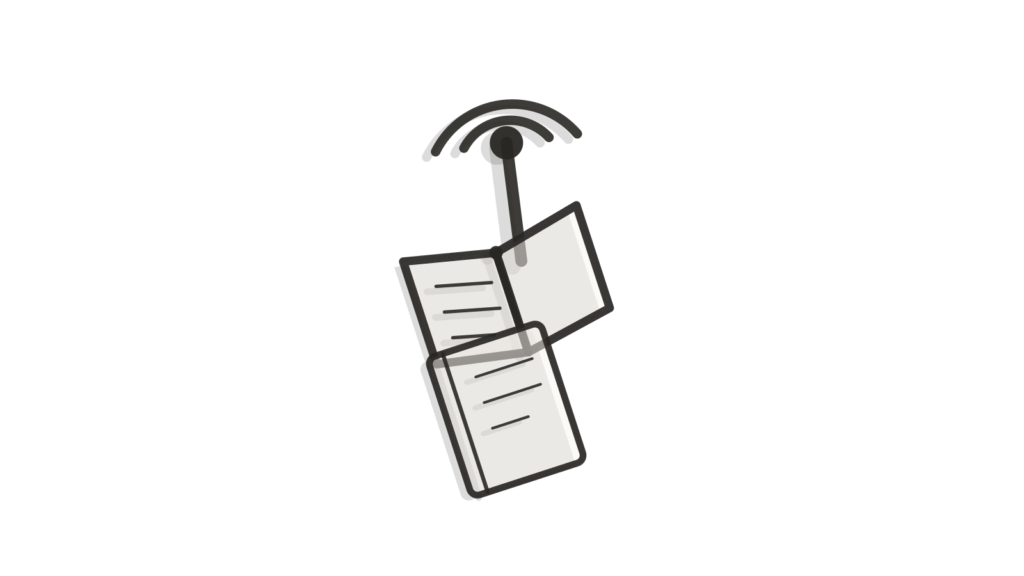
Miniature signal tower, open book and notebook in cross-section, standing in for quick FAQ answers.

What it is

AI Employee FAQ answers the recurring questions employees ask most, such as leave requests, payroll timing or benefits enrollment, using your top 20 FAQs and reference documents. It sits in one channel, such as a website widget, Slack or Teams, and never invents an answer outside what you approved. Unmatched questions go to your escalation contact.

Why businesses buy it

Routine questions are small one by one, but together they fill an HR inbox and slow the replies people actually need. Employees also lose time waiting for answers that already exist in a handbook nobody reads. This build puts your approved answers where people already ask, and hands everything else to a person. It is deliberately narrow, which makes it quick to check and easy to trust. The Scope Card lists the channel, the FAQ set and the escalation route in advance, so you know exactly what it will and will not answer.

Problems this solves

Employees ask the same leave and payroll questions every month

The FAQ answers your top 20 recurring questions, such as leave requests and payroll timing, from your reference documents. Staff get the answer in the channel they already use.

Answers to simple questions wait until HR is free

The FAQ sits in one channel, such as a website widget, Slack or Teams, and replies straight away. Simple questions no longer wait in an HR inbox.

A chatbot that guesses could give employees wrong information

The FAQ never invents an answer outside what you approved. Questions it cannot match go to your escalation contact, so staff still get a proper reply.

Scope card SKU UPM-C0217

AI Employee FAQ

Everything this build includes, written down before you pay. Choose a delivery speed and any add-ons, then add it to your cart.

$3,400 one-time build price
1. Choose your delivery speed

Delivery times are in working days (Monday to Friday) and start once your intake is complete. They can extend because of national or public holidays, technical issues outside our control (such as platform outages, third-party changes, account approvals or access delays), or natural disasters and other events beyond our control. If a delay happens, we tell you in writing with a new date.

What is included

Channel
1 channel (website widget, Slack or Microsoft Teams)
Integrations
Up to 1 (e.g. email or helpdesk handoff)
Knowledge
Up to 100 documents or 200 web pages
Workflows
Up to 5 intents plus human handoff
Languages
1
Testing
40 documented test questions with pass/fail results
Revisions
2 rounds
Handoff
1 × 60-min handoff session (recorded)
Support
30 days after launch

A good fit if

The same short list of questions, like leave balances, payslip timing or how to update a bank detail, comes up again and again.
You already have a set of approved FAQ answers, even if they currently live in a handbook PDF or an intranet page nobody checks.
You want a self-service answer available any time, instead of employees waiting on an HR reply for something routine.
Your goal is a narrow, easy-to-verify FAQ rather than a broader assistant that also handles ambiguous policy questions.

Not the right fit if

You need something that handles a wider range of policy questions and actively routes unclear or sensitive ones to HR. See AI HR Assistant, which covers broader intents plus human handoff.
You mainly need help running the new-hire setup process rather than answering questions. See AI Employee Onboarding, which runs that checklist instead.
You want employee feedback or survey responses analyzed for themes. See AI Employee Feedback, which is built for that kind of analysis.
You need more than 5 intents or more than 100 documents behind the FAQ. Add a note at checkout and we quote the extra scope, or start from our Custom AI request form.

How it works

  1. An employee types a question into the channel you chose, such as a website widget, Slack or Microsoft Teams.
  2. The FAQ bot matches it against your top 20 approved questions and up to 100 supporting documents or 200 web pages.
  3. If there is a confident match, it answers immediately in your approved wording, covering things like leave requests, payslip timing or benefits enrollment steps.
  4. If there is no confident match, it says so rather than guessing, and hands the question to the escalation email or helpdesk you set up.
  5. Every question asked is logged, so you can see which topics come up most and whether your FAQ answers still hold up.
  6. You review the logs periodically and add new approved answers as fresh questions repeat, keeping the FAQ current without a rebuild.

What you provide within 72 hours

Your portal lists these the moment you order. Delivery starts the working day after everything is in and your access is checked.

  • Your top 20 employee FAQs with the exact answers you want used.
  • Any handbook pages or website URLs the bot should also draw on.
  • An escalation email or helpdesk address for questions it cannot confidently answer.
  • Website admin access, or your developer's time, if you choose the website widget channel.
  • Your logo and brand colors so the FAQ matches your existing employee communications.
  • Admin access and API keys for every connected system, shared by adding our team as a user or creating a key you control, never by email.
  • Your business information (company basics, hours and brand voice), shared during intake.
  • One decision-maker who can approve FAQ wording and keep the build moving.
  • An API key for your own AI model account (for example OpenAI or Google Gemini), created for this build with a spending limit.
The 72-hour rule. Send everything on your checklist, including access, within 72 hours of ordering so your build starts on time.

Timeline

Start Intake verified and your top 20 FAQs, documents and escalation path confirmed.
Weeks 1–2 The FAQ knowledge base and question-matching rules are built from your material.
Week 3 The channel is connected, whether that is a website widget, Slack or Teams.
Weeks 3–4 40 documented test questions are run, with pass or fail results sent to you.
Week 4 Your review and two rounds of changes to answer wording and matching.
Go-live Live, recorded handoff session, support starts.
Delivery options, in working days (Monday to Friday) from completed intake. They can extend because of national or public holidays, technical issues outside our control (such as platform outages, third-party changes, account approvals or access delays), or natural disasters and other events beyond our control. If a delay happens, we tell you in writing with a new date.
OptionDelivery timePrice
Standard20–30 working days$3,400
Express15–25 working days$4,000
Rush10–20 working days$4,600

What you receive at handover

  • AI Employee FAQ live in one channel: website widget, Slack or Microsoft Teams
  • Your top 20 FAQs and reference documents loaded as approved answers
  • Up to five intents plus a handoff to your escalation contact
  • Test report with 40 documented test questions and pass/fail results
  • Admin guide and a recorded handoff session
  • 30 days of post-launch support

Expected benefits and how to measure them

  • Can answer common questions instantly at any hour
  • Helps HR focus on questions that need a person
  • Makes answers on leave, payroll and benefits consistent
Recurring questions reaching HR
Count leave, payroll and benefits questions in HR's inbox for two weeks before launch and two weeks after.
Questions passed to the escalation contact
Track unmatched questions each month, and add frequent ones to your FAQs.
Peak-time question volume
Compare HR question volume around payroll dates and enrollment windows before and after launch.

Before you start: Before launch, list your most common employee questions and count how many HR answers in a typical fortnight.

These are things to track, not promised results. Outcomes depend on your data, your team and your market.

Running costs

The build price is one-time. Running it afterwards is billed in your own accounts and typically runs about $30 to $150 a month for AI model usage and hosting, depending on how many employees ask questions each month.

AI usage during the build and testing is also billed to your accounts, so you keep ownership of every provider relationship. Nothing runs through us.

Ask about running costs

Custom requirements

If you need something outside the Scope Card, add a note at checkout. You get a written Change Quote, and that work only starts once you accept it. Your original order runs on its normal timeline either way. Larger or bespoke projects go through the Custom AI request form instead.

Request a custom version

Keep it running

Monthly maintenance covers monitoring, fixes and change hours for new FAQ entries, seasonal answers like open enrollment dates, and small wording tweaks. The hours scale with the build. Maintenance starts after the 30 days of included support, bills monthly, and can be cancelled any month.

$249/mo (the minimum fee, includes 2 change hours)

Optional. Starts after the post-launch support period. Cancel any month.

How maintenance works

How this compares

Do it yourself with a SaaS toolHire a custom agencyUpmark Labs
Price A help-center tool charges a monthly fee per agent seat An agency quotes after a discovery call to scope the FAQ Ours is one fixed price, shown before you buy
Scope A help-center tool gives you a blank article editor to fill in yourself An agency's scope depends on what gets agreed during discovery Ours is written on the Scope Card before purchase
Delivery A help-center tool is live immediately but has no answers loaded An agency usually takes weeks to gather and write the FAQs Ours has a fixed delivery time shown before you buy, with faster options
Accuracy A help-center tool returns whatever article ranks closest, right or not An agency build depends on what was agreed and tested Ours says it does not know rather than guessing

Questions about this product

What does AI Employee FAQ cost to launch and run?

The build is one fixed price, shown on this page before you buy, with express and rush delivery available at a set extra cost. Running it afterwards costs roughly $30 to $150 a month in AI usage and hosting, paid directly in your own accounts. There is no per-employee fee from us.

How is AI Employee FAQ different from a full HR assistant?

This build is deliberately narrow: it answers your top approved FAQs on topics like leave, payslips and benefits, and says so when a question falls outside that list. AI HR Assistant covers a wider range of intents and actively routes ambiguous or sensitive questions to a person, which suits teams with broader HR queries.

What happens when an employee asks something outside the FAQ list?

It tells the employee it cannot confidently answer, rather than guessing, and forwards the question to the escalation email or helpdesk you configured. Nothing is invented from outside your approved 20 FAQs and connected documents, so employees never receive an answer your HR team has not signed off on.

Is employee data kept private in the FAQ tool?

Yes. It only stores the questions asked and the FAQ content and documents you approved. Admin access and system credentials are shared by adding our team as a user or creating a key you control, never by email. The FAQ does not collect or store personal employee records; it simply answers from the material you gave it.

How much of our team's time does setting up the Employee FAQ bot take?

Most teams spend about an hour pulling together their top 20 FAQs and any supporting documents inside the 72-hour intake window. After that, expect roughly an hour reviewing the 40 test questions, plus the 60-minute recorded handoff session before launch.

Can we update the FAQ answers ourselves later?

Small wording changes and new FAQ entries fit inside the monthly change hours included with maintenance. A bigger change, such as adding a sixth intent or a second channel, is quoted separately as a Change Quote before that work starts.

Which channels does the employee FAQ support?

You choose one channel for this build: a website widget, Slack or Microsoft Teams. It connects to the same FAQ content and escalation rules wherever employees ask, and a second channel is available afterward as an add-on if your team needs it.

What happens once the 30 days of Employee FAQ support end?

You can continue with monthly maintenance, or stop there with a fully working FAQ tool and no ongoing commitment. Either way, the approved answers and matching configuration remain yours and keep answering exactly as tested. Maintenance covers monitoring, fixes and change hours for new FAQ entries, seasonal answers like open enrollment dates, and wording tweaks.

Answer the routine HR questions before they hit your inbox.

Order AI Employee FAQ and it starts answering routine questions from your approved answers on a fixed delivery date. The scope above is what you get, in writing, before you pay.

Works well with

Brass ring, speech-bubble tile and bookmarked policy booklet arranged isometrically for HR answers.
Employee Lifecycle

AI HR Assistant

Answers employee HR questions from your policies and routes requests.

From $3,400 Delivery in 20–30 working days
Database token, bar-chart card and brass scale scattered on a desk, standing in for feedback themes.
Employee Lifecycle

AI Employee Feedback

Collects and analyses employee feedback into themes.

From $3,900 Delivery in 20–30 working days
Brass toggle, ruler and scale stacked diagonally, standing in for headcount and attrition reporting.
Employee Lifecycle

AI HR Analytics

Reports on headcount, attrition and hiring funnel trends.

From $3,900 Delivery in 20–30 working days
Staging copy for testing. Not the live site; payments are in PayPal sandbox and every email goes to the team.