Controls & Monitoring

AI Agent Risk Monitor

Deployed AI agents are watched for behavior drift, error spikes and unexpected outputs, with findings ranked so someone can act.

An AI agent that worked well at launch can drift quietly: more errors, odd outputs, actions nobody expected. This monitor sets a baseline of healthy behavior for each agent you name, then watches every run against it. Findings are ranked by severity and sent to Slack or Jira with context. It never pauses or changes an agent itself. Your team decides.

  • A healthy-behavior baseline set for each deployed agent
  • Drift, error spikes and unexpected outputs flagged early
  • Severity-ranked findings routed to the person who owns them
$5,400 20–30 working days Optional maintenance $270/mo
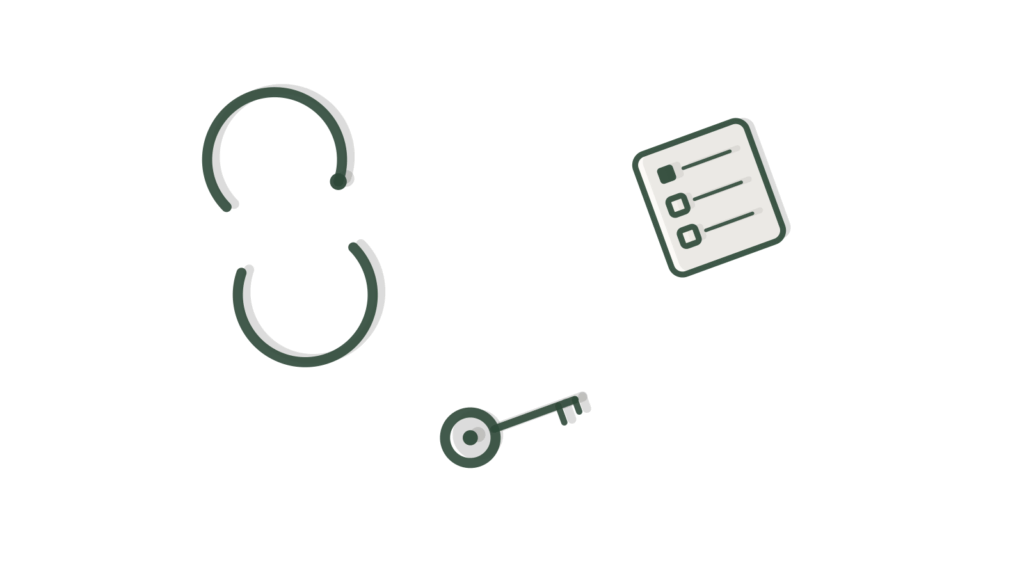
Sync-arrows icon, ticked checklist card and a brass key on a desk, showing agent activity kept under watch.

What it is

AI Agent Risk Monitor watches your deployed AI agents for behavior drift, error spikes and unexpected outputs. It ranks findings by severity so a person can review them. Each run is compared against a baseline agreed with you. It alerts only: it does not block agent actions or pause agents.

Why businesses buy it

Agents in production change even when nobody touches them. A model update, a new data source or an unusual customer can shift their behavior, and the first sign is often a complaint. Watching logs by hand does not scale past one agent. This monitor gives you an early warning tied to what normal looks like for your own agents, so problems are caught while they are still small. The written scope sets the systems and monitors covered before you buy.

Problems this solves

Agents drift from expected behavior and nobody notices

The monitor compares each agent run against a baseline agreed with you. When outputs or error levels move away from it, the change is flagged instead of hiding in normal traffic.

Generic alert thresholds flag too much or miss what matters

Alerts reflect your own agents, not industry defaults. Up to five monitors are set and tested against agreed scenarios, with two revision rounds to adjust them.

A pile of findings with no sense of what comes first

Findings are ranked by severity, so a person reviews the most serious ones first. The admin console or written report shows each finding alongside the run that produced it.

Scope card SKU UPM-C0327

AI Agent Risk Monitor

Everything this build includes, written down before you pay. Choose a delivery speed and any add-ons, then add it to your cart.

$5,400 one-time build price
1. Choose your delivery speed

Delivery times are in working days (Monday to Friday) and start once your intake is complete. They can extend because of national or public holidays, technical issues outside our control (such as platform outages, third-party changes, account approvals or access delays), or natural disasters and other events beyond our control. If a delay happens, we tell you in writing with a new date.

What is included

Channel
1 admin console or written report
Integrations
Up to 3 systems or AI applications in scope
Knowledge
Your policies (up to 20 documents)
Workflows
Up to 5 controls, policies or monitors configured
Languages
1
Testing
Control test log or findings report
Revisions
2 rounds
Handoff
1 × 60-min handoff session (recorded)
Support
30 days after launch

A good fit if

You already have AI agents running in production, handling real tasks rather than sitting in a pilot.
You want to know quickly when an agent starts behaving differently than it did last week, before a customer notices.
You have engineering or security staff who can act on a flagged finding once it reaches them.
Your agents run against named systems such as GitHub, GitLab or your own AI applications, where drift or errors leave a trace worth watching.

Not the right fit if

You want risky agent actions blocked by policy before they happen, not just flagged. See AI Agent Security Layer, which enforces tool limits and policies.
You want an AI supervisor that can pause an agent when a rule is breached. See AI Supervisor Agent.
You need to check AI workflows against regulatory or internal compliance rules, not watch agent behavior day to day. See AI Compliance Monitoring.
You want the full governance picture spanning policy, risk and audit together, not just agent behavior. See AI Governance System.
You mainly want to know how much AI usage is happening across the business, not whether one agent is behaving oddly. See AI Usage Monitoring.
You need a permanent record of what an agent did and decided, for later review rather than live alerting. See AI Audit Trail.

How it works

  1. We connect to your deployed agents and their systems. Typically GitHub, GitLab, cloud provider logs and the AI applications you name, so their actions are visible in one place.
  2. A baseline of normal behavior is set with you. What a healthy run looks like, what counts as an error spike, and which outputs would be unexpected for each agent.
  3. Agent activity is watched on an ongoing basis. Actions, error rates and outputs are compared against that baseline as the agents keep running in your environment.
  4. Findings are ranked by severity, not just listed. A slow drift over several days is treated differently from a sudden spike, so attention goes where it matters first.
  5. Alerts route to Slack or Jira with context attached. Your security contact sees what changed and why it was flagged, not a raw log to interpret alone.
  6. A findings report rolls up what the monitor saw across your agreed scope. Useful for spotting a slow pattern that no single alert would show on its own.

What you provide within 72 hours

Your portal lists these the moment you order. Delivery starts the working day after everything is in and your access is checked.

  • Your business information (company basics, hours and brand voice), shared during intake.
  • Written scope and authorization for the testing we run against your agents.
  • Access to the systems in scope, such as your cloud logs or the AI applications themselves.
  • A named security contact who can answer questions while we configure the monitor.
  • The list of AI applications and systems that should sit inside this build.
  • Admin access and API keys for every connected system, shared by adding our team as a user or creating a key you control, never by email.
  • One decision-maker who can approve the baseline and the alert thresholds we propose.
The 72-hour rule. Send everything on your checklist, including access, within 72 hours of ordering so your build starts on time.

Timeline

Start business information confirmed and testing authorization received.
Weeks 1–2 Connections to your named systems built and a baseline behavior agreed with your security contact.
Week 3 Severity rules set and Slack or Jira alert routing configured.
Weeks 3–4 Findings report and control test log produced against agreed scenarios.
Week 4 Your review and two rounds of changes to thresholds or routing.
Go-live Live, recorded handoff session, and the 30 days of support begins.
Delivery options, in working days (Monday to Friday) from completed intake. They can extend because of national or public holidays, technical issues outside our control (such as platform outages, third-party changes, account approvals or access delays), or natural disasters and other events beyond our control. If a delay happens, we tell you in writing with a new date.
OptionDelivery timePrice
Standard20–30 working days$5,400
Express15–25 working days$6,200
Rush10–20 working days$7,000

What you receive at handover

  • AI Agent Risk Monitor configured and deployed, watching up to three agents or AI applications
  • An agreed behavior baseline and up to five monitors, with workflow, prompt and guardrail configuration
  • Connections to the agreed systems and a severity-ranked findings view in the console or a written report
  • A test report with a control test log for the agreed scenarios
  • An admin guide and a recorded 60-minute handoff session
  • 30 days of post-launch support

Expected benefits and how to measure them

  • Can help you catch an agent going off course before customers notice.
  • Makes it easier to focus review time on the findings that matter most.
  • Gives you a record of how each agent behaves over time.
High-severity findings per month
Count them from the console each month and watch the trend as agents and prompts are improved.
Time from finding to review
Compare when each finding was raised with when someone reviewed it. Track the average monthly.
Problems first reported by people
Count agent problems raised by customers or staff before the monitor flagged them. Compare the quarter before launch with the quarter after.

Before you start: Describe what normal output looks like for each agent and list recent problems. Note how each problem was first spotted.

These are things to track, not promised results. Outcomes depend on your data, your team and your market.

Running costs

The build price is one-time. Running it costs roughly $20 to $300 a month in your own accounts, covering hosting, logging and the monitoring tools that hold the events and alerts. Most teams sit toward the lower end unless agent volume is high.

AI usage during the build and testing is also billed to your accounts, so every provider relationship stays yours. Nothing runs through us.

Ask about running costs

Custom requirements

If your agents need more than three connected systems or five monitors, add a note at checkout. You get a written Change Quote, and your original order still runs on its normal timeline. Larger or bespoke projects go through the Custom AI request form instead.

Request a custom version

Keep it running

We recommend monthly maintenance: monitoring, fixes, and a monthly allowance of change hours, which covers new baselines as agents change or extra thresholds as you add agents. It starts after the 30 days of support and can be cancelled any month.

$270/mo (5% of the build price a month, includes 2 change hours)

Optional. Starts after the post-launch support period. Cancel any month.

How maintenance works

How this compares

Do it yourself with a SaaS toolHire a custom agencyUpmark Labs
Price A generic monitoring platform charges a recurring license fee before you configure anything A security consultancy quotes after a discovery phase Ours is one fixed price, shown on this page before you buy
Scope A monitoring platform watches whatever you wire up yourself An agency agrees scope during the engagement Ours is written on the Scope Card: up to 3 systems, 5 monitors
Delivery A monitoring platform can take weeks of configuration before it is useful A consultancy engagement usually runs several weeks Ours has a fixed delivery time shown before you buy, with faster options
Output A monitoring platform gives you raw dashboards to interpret yourself An agency deliverable depends on what was agreed Ours ranks findings by severity and routes them to Slack or Jira

Questions about this product

How much does AI Agent Risk Monitor cost?

The build is one fixed price for everything on the Scope Card: connecting up to three systems, agreeing your behavior baseline with you, and configuring up to five monitors, plus testing, an admin guide and a recorded handoff. The price panel on this page shows that figure at each delivery speed, so you know the full cost before you order. Running costs are covered in the next answer.

What does AI Agent Risk Monitor cost to run each month?

Running it costs roughly $20 to $300 a month in your own accounts, covering hosting, logging and the monitoring tools that store events and alerts. The exact figure depends on how many agents you run and how much activity they generate day to day. You pay these providers directly, so you keep ownership of every account involved.

How is AI Agent Risk Monitor different from AI Compliance Monitoring?

AI Agent Risk Monitor watches how your agents actually behave day to day: drift, error spikes and unexpected outputs. AI Compliance Monitoring instead checks your AI workflows against your internal compliance rules, which is a different question with a different owner. Many teams end up running both once agents reach production and compliance reporting is also required.

What happens when the monitor flags something?

A flagged finding is ranked by severity and routed to Slack or Jira with the context your security contact needs to act on it. The monitor does not pause or change an agent on its own; a qualified person on your team decides what happens next, because judgment calls about production systems stay with you, not with us.

Can we add more agents or systems to AI Agent Risk Monitor later?

Yes. Small additions inside your existing setup, such as a new alert threshold or an extra Slack channel, usually fit inside the monthly change hours that come with maintenance. Watching more agents on systems already connected is often simple too. Connecting a fourth system, or adding monitors beyond the five in scope, comes through a Change Quote that is priced and agreed before any work starts.

Can we cancel the AI Agent Risk Monitor maintenance later?

Yes. Maintenance bills monthly with no lock-in, so you can cancel any month once the 30 days of included support has ended. Unused hours do not roll over, and if you find you need fewer changes each month, you can decide whether you still need it.

Who owns the monitor configuration and findings history?

You do. The baseline, thresholds and findings history all live in systems connected under your own accounts, not ours, so nothing is lost if you later change providers. We configure the monitor and hand it over with an admin guide and a recorded session, but the record of what your agents did belongs to you from day one.

Know when an agent starts drifting, before it becomes a problem.

Order AI Agent Risk Monitor and it starts watching your deployed agents for drift, error spikes and unexpected outputs, live on a fixed delivery date.

Works well with

Terminal window model, pushpin and padlock arranged isometrically, showing policy tied to real systems.
Controls & Monitoring

AI Security Policy System

Maintains security policies and checks systems against them.

From $4,400 Delivery in 20–30 working days
Pushpin, padlock and shield in a diagonal line, showing broad watch kept across systems.
Controls & Monitoring

AI Security Monitoring

Centralizes security events from AI systems with alerting.

From $5,400 Delivery in 20–30 working days
Tray holding a terminal window model and a shield, showing agent actions kept in check.
Controls & Monitoring

AI Agent Permission System

Defines and enforces what each AI agent may access and do.

From $5,400 Delivery in 20–30 working days
Staging copy for testing. Not the live site; payments are in PayPal sandbox and every email goes to the team.